
Phone-based door access · Installed in Toronto & the GTA
Decide who gets in. Keep that decision simple.
Phone keys, card credentials and visitor calls can share an entrance plan. Start with the people and the door; choose the equipment after the opening is assessed.
The film couldn’t load here.
Begin the entrance conversation
What should become easier at your door?
Describe how it works today and what should become easier. Establish suitability and the complete cost before choosing the installation.
Name the decision-maker
Identify who authorizes work and manages the property.
Examine the arrival route
Discuss credentials, powered equipment and practical assistance.
Agree operating responsibilities
Review administrator training alongside installation and package costs.
Use the optional door guide to prefill space and lock details.
In short
What is SmartphoneKey being proposed for?
An assessed local installation, with product capabilities kept in context
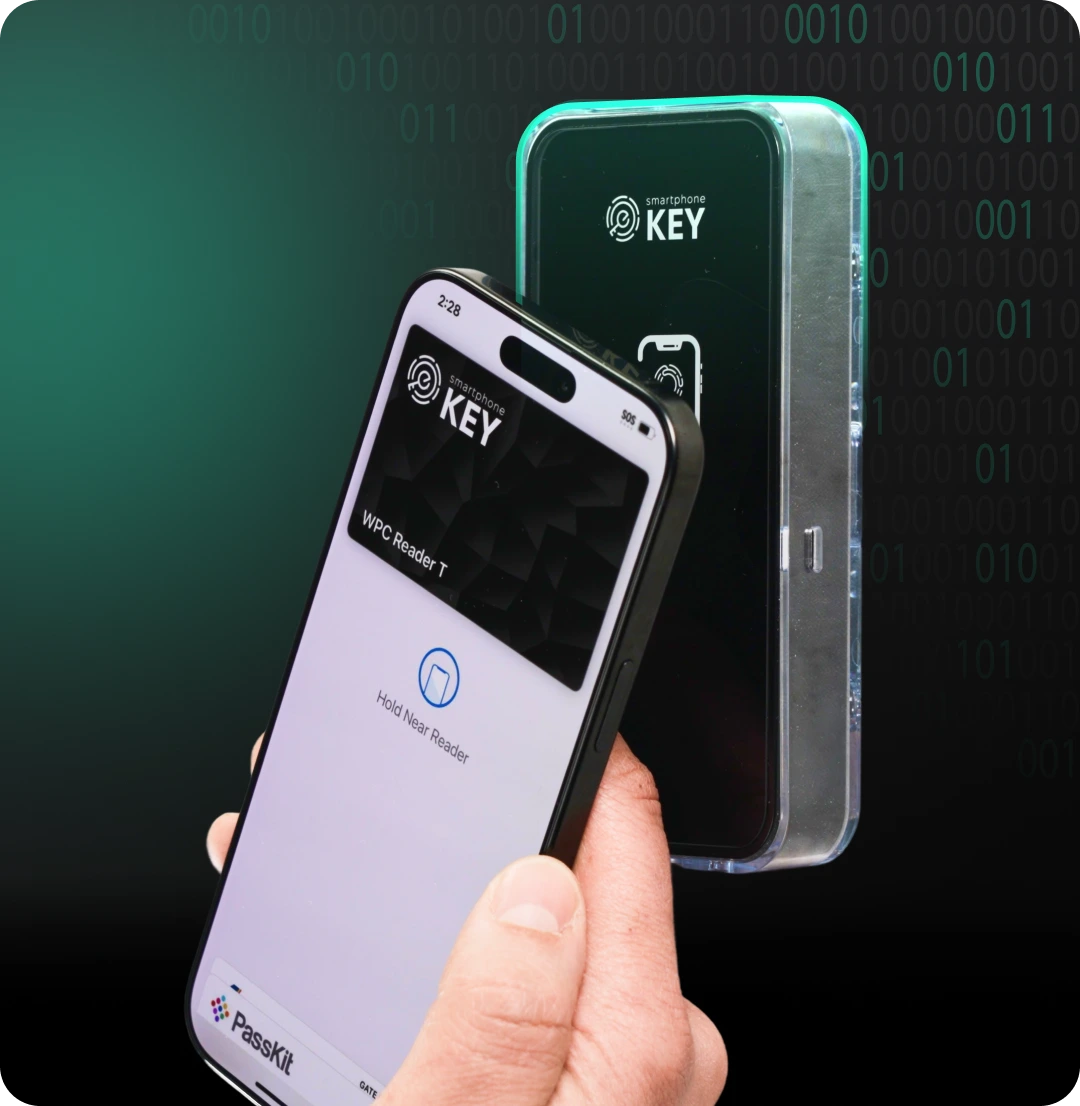
SmartphoneKey is a reader-based access arrangement. Its published materials describe Wallet credentials, NFC cards, managed guest keys and a QR visitor calling route. The reader operates suitable electric locking hardware. A local installation still needs to establish the entrance condition, power, connectivity and the people responsible for using and managing it.
Example, not a completed project
One entrance can serve several different reasons to arrive.
Imagine a property where a regular user returns daily, a cleaner visits within an agreed window and an unfamiliar caller arrives without a key. The first person needs a continuing credential, the cleaner needs the permission approved for that visit and the caller needs a responsible recipient. Those decisions can relate to the same entrance while following different administration and assistance routines. Describe the intended result for each rather than solving all three with one shared permanent key. This is an illustrative planning situation, not a customer record, proof of universal compatibility or a promise that another booking system supplies the decisions automatically.
Turn a product idea into a useful property brief
Explain the daily need, then compare the assessed arrangement.
A short equipment list is easier to evaluate when it answers an actual operating problem. Keep the responsibilities for people and premises visible alongside the documented credential options.
Describe the result you want
- Choose the arrival that currently takes unnecessary effort: lending a key, arranging a short visit or reaching the right person from outside. Identify the intended entrance and the people involved. A clear example gives the assessor something concrete to discuss without requiring a private list of occupants or visitors.
- Separate regular permission from a temporary purpose. Decide who approves each and who should hear about a departure, cancellation or lost credential. The documented management functions support those decisions; they do not establish that the property has assigned someone to make and maintain them.
- Include users who prefer a supported physical card and visitors who need assistance. Explain the actual route and responsible contact rather than assuming one phone interaction suits every person. A property guide can help frame these questions, while the chosen arrangement still needs confirmation at the entrance.
Understand the proposal before accepting it
- Ask which existing locking equipment remains, which hardware is added and how the proposed reader is supplied and connected. A wall-mounted reader is one part of a working entrance. The proposal should identify any conversion or separate door work rather than leaving it hidden behind the visible product.
- Review the intended user and administrator walkthrough, the visitor route and the agreed fallback. Ask what was demonstrated and which requirement remains unresolved. A local simulation can explain a permission outcome, but it does not prove installation suitability, a third-party integration or operation through every outage.
- Compare installed work, credential setup, continuing charges and the ongoing management job together. Keep the contact responsible for access changes in the conversation. The useful result is an entrance arrangement the property can operate and maintain, with its scope understood before installation is agreed.
Choose the problem to solve
A busy entrance has several kinds of arrival.
Start with the part of the daily routine that creates unnecessary key handling. Do not choose a system solely because the reader looks discreet.
Regular users need dependable instructions
A resident, employee or household member needs to know which credential to use and where it works. SmartphoneKey documents Apple Wallet and Google Wallet keys alongside NFC cards. Agree a practical alternative for people who prefer a physical credential rather than assuming every user carries the same kind of phone.
Guests need a defined permission
Some people are invited for an appointment, a stay or a maintenance visit. Guest keys can have start and end times and limits on uses. Those settings support an agreed visit; they do not establish who approved it or automatically learn when a booking changes.
Unexpected visitors need a recipient
The documented QR route lets a visitor scan with a phone camera to call without installing an app. The property must still decide who answers and what to do if that person is unavailable. Calling and holding a permanent door credential are different arrangements.
Administrators need an access process
One person must own issuing, changing and removing permission. Site grouping and local administration can help organize several doors. A departure, lost card or cancelled visit still needs to reach the responsible administrator through a clear process.
The SmartphoneKey feature, installation, usage and administration materials support the product descriptions on this site. The property examples are planning situations, not customer installations. Local demonstrations illustrate decisions and do not operate a reader, issue credentials or verify a particular entrance.
Where it fits
Property guides.


Bring the operating need to the physical entrance
Review one real opening before selecting the package.
Explain how people enter now, what creates avoidable key handling and who may approve changes. Show the current release and identify a shared route if the premises has one. The assessor needs to establish the hardware, supply, cable and connection requirements for that opening. The person maintaining access should also understand the proposed issuing, withdrawal and visitor arrangements. A product demonstration can introduce the idea; the actual premises and its responsibilities determine the proposal.
Is it the right fit?
Can the entrance and its operating responsibilities be assessed?
There is a clear property requirement
- You can describe who uses the entrance and who approves changes.
- A physical assessment can establish suitable electric lock hardware.
- You want distinct permissions rather than a shared permanent key.
A necessary capability still needs confirmation
- You need an unverified booking, membership or billing integration.
- You expect universal compatibility or a completely unwired conversion.
Questions before choosing an entrance arrangement
Start with the outcome and confirm the complete scope.
Phone presentation is one interaction in a wider entry process. Identify the person, the permission and the physical opening before treating a feature overview as a finished installation plan.
Is this the manufacturer's own site?
This is a local installer presentation of SmartphoneKey. Product capabilities are based on the manufacturer's materials; the actual proposed equipment and scope need to be confirmed for your entrance.
What does the initial assessment establish?
It should identify the current locking arrangement, ownership permission, power and cable requirements, connection choice and exit considerations. Those details determine whether the intended access approach is practical.
Can I compare an office and a rental property here?
Yes, through the separate property guides. They explain different operating needs. A common credential technology does not make a workplace joiner process the same as a guest checkout.
Are device prices enough to compare proposals?
Include the installed hardware, door work, credentials, connection requirements and any continuing package charges. Obtain the complete scope before deciding on a proposal. No site-wide price is invented for an unknown entrance.
What happens when a phone or the power is unavailable?
The actual fallback depends on the configured entrance. Do not rely on a promise that a dead phone unlocks the door or that every lock reacts to an outage in the same way. Review those cases during assessment.
Can the online demonstration establish that my door will work?
It illustrates the idea of an allowed or ended permission and helps introduce the operating questions. It does not inspect your lock, frame, supply or connection and does not operate equipment at your property. Describe the intended result and arrange an assessment before treating a demonstration as confirmation of a specific installation.
Should a regular user and an occasional caller receive the same permission?
Their reasons for arriving can be different. A regular credential, a limited guest permission and a visitor conversation are separate documented arrangements to discuss. Decide which is appropriate and who approves it. The presence of one reader does not require giving every person the same standing access or assuming an unanswered caller should enter automatically.
What can I prepare before choosing equipment?
Describe the opening, its present release, the main user groups and one arrival you want to improve. Identify who can approve premises work and who would maintain access afterward. Existing model information and ordinary operating hours can help. Personal credential records, private entry codes and an equipment purchase are unnecessary for the first planning conversation.
Explore a permission decision
Compare an allowed and an expired example.
Use the two controls to see a simulated permission check. The example separates an authorized credential from a guest permission whose period has ended; it does not operate installed equipment.
Illustrative events only. No live lock, credential delivery or customer record is involved.
Choose a credential example.
- Example user · Demo entrance · allowed
Build the operating brief
Which decisions need a property assessment?
Choose the property use, present locking arrangement and connection situation. The local result identifies issues to discuss; it does not certify compatibility or book work. You can transfer the selections into the preview form.
Issues for the proposal
Identify the entrance equipment first
Begin with clear views of the opening, frame and present lock. The assessment can establish what is installed and which party controls it before proposing retained or replacement equipment.
Arrange a connection assessment at the opening. Model choice, coverage and ongoing responsibility belong in the proposal.
Gym operation to discuss
- Named managers maintaining member credentials
- Personal Wallet passes or product-specific cards
- Limited trial visits within agreed premises hours
- Credential events distinguished from training attendance
A billing or membership change needs an administrator to update access unless the particular connection has been verified.
Next step
Start with one entrance and its people.
Describe how it works today and what should become easier. Establish suitability and the complete cost before choosing the installation.
Request a door checkAsk for an entrance plan you can maintain
Include the assessed door work, retained and new equipment, power and connection requirements, credential choices and administrative handover. Keep continuing package charges visible and distinguish a documented capability from an unverified requirement. Agree who maintains permission changes after the installation discussion becomes an operating arrangement.
For a Toronto/GTA premises review, identify the contact who can show the opening and relevant equipment. Discuss the proposed phase and normal arrival routine before arranging a visit. This presentation does not reserve an appointment or establish a fixed conversion cost or completion date.