
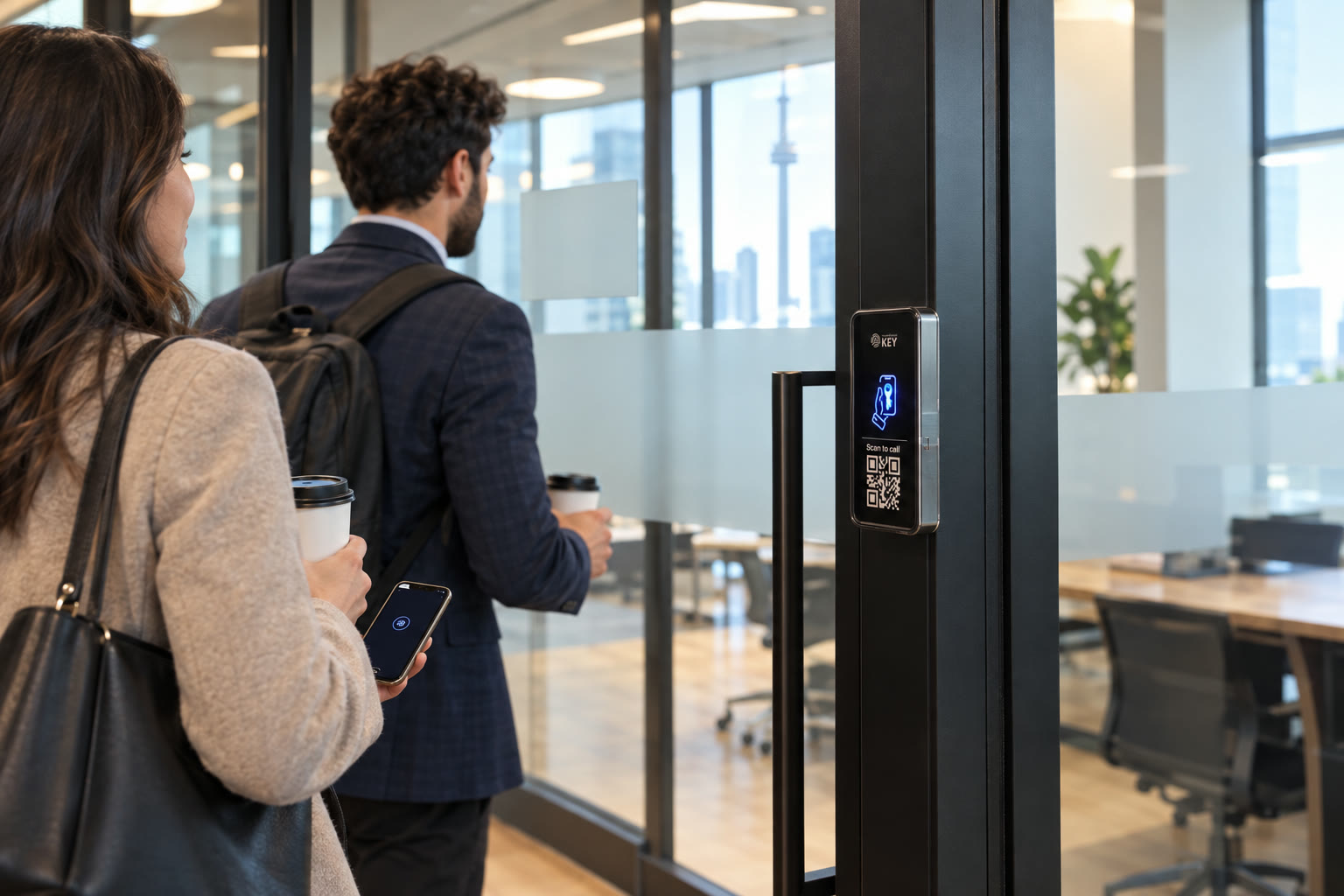
Office access control · Toronto & GTA
A changing team. An access list that keeps up.
Plan office entry around joining, leaving and visiting. Manage who can open each assessed door without giving every employee or coworking member the same reach.
In short
What is the useful starting point for office access?
Translate workplace responsibilities into door permissions
Start with the teams using each opening and the person responsible for changing their access. SmartphoneKey provides managed credentials and site administration. That makes permission changes possible, but it does not establish automatic integration with HR, room booking or coworking subscriptions. Someone must own the joiner, mover and leaver process.
Workplace permissions brief
Explain who needs to reach which part of the office.
Describe a new starter, a departure and a typical visitor. Those examples show what the office needs to manage.
Map workplace responsibilities
Separate employer decisions from common-building permissions.
Assess staff and guest routes
Check the required openings and reception coverage.
Define the facilities handover
Agree departures, administrator roles and the completed installation.
Example, not a completed project
One meeting creates three different access needs.
Consider an illustrative coworking site hosting a client meeting while an employee has moved to a different team and a service contractor is expected in a restricted area. The host decides how the client reaches the meeting, the manager reviews the employee's revised room permissions, and facilities coordinates the contractor's approved work route. Sharing an arrival time does not justify giving all three the same credential or access to the same rooms. If the building lobby belongs to a landlord, its entry arrangement must also be included in the discussion with the responsible party. The administrator then needs the relevant authorized decisions, not just a calendar event. This example explains a planning boundary; it is not evidence of an integration or a completed office installation.
Business decisions and premises work
Make the workplace access handoff explicit.
The person requesting a room permission may not install the release or operate the administration portal. Keep those responsibilities visible when the office changes staff, layout or service providers.
Define the workplace authorization
- For a new starter, identify the actual openings required by the job and the person approving them. Explain the supported credential to the user and the place to seek assistance. A workplace account being created elsewhere does not prove that a door credential has been issued correctly.
- For a role move, review what should be removed as well as what should be added. Retaining every earlier room permission is a business decision, not a default consequence of changing teams. The administrator needs a clear approved opening list rather than an instruction to give the person the same access as somebody else.
- For a client visit, name the host and the intended arrival arrangement. A planned guest credential and the QR calling route answer different situations. Reception and the host should understand what happens if the client arrives without the expected credential or the recipient is unavailable.
- For a departure, agree the route by which the credential administrator learns that access must change. A disabled HR account, an ended coworking subscription and a returned physical card do not establish that every door permission was withdrawn. Include the intended verification in the operating handover.
Confirm the facilities and service boundary
- List the tenant-controlled entrance, internal rooms and any shared building door separately. Establish which property party can authorize each proposed alteration. That prevents an office reader proposal from silently including a landlord's lobby system or another tenant's controlled space.
- Ask facilities and the installer to identify retained releases and any new supply, reader or cable work. State how access to service spaces and finished surfaces will be arranged. A plan for phone credentials is not a complete description of the physical work needed at an unknown office door.
- Identify who maintains connectivity and who receives a problem report. Keep the proposed package, recurring charges and assistance contact with the accepted equipment scope. A later change of IT or facilities provider should trigger a review of responsibilities rather than leave the office dependent on an unnamed third party.
- At handover, let the future administrator work through the agreed staff and visitor cases using an authorized demonstration. Retain any untested integration, exception or hardware question as open. One person's successful entrance should not stand in for acceptance of every room or every workplace workflow.
Use a real working day
The front entrance is not the whole office.
A receptionist, an employee using a meeting room and a visiting contractor may share a lobby without needing the same permissions afterward.
Joining a team
Decide which authorized doors the new person needs and when that access should start. Choose a supported phone credential or card. Explain the expected reader interaction and where to get help rather than handing over a credential without context.
Moving between roles
A change of team may change the rooms a person should reach. Treat it as a permission review instead of adding more doors indefinitely. Grouping locks by site helps organize administration, but each grant still needs a business reason.
Leaving the workplace
Agree how the administrator learns about departures and lost cards. Remove unnecessary access promptly through the documented portal. Do not assume disabling a different workplace account also disables the door credential; that relationship has not been established.
Welcoming a visitor
For an expected short visit, consider a guest window matching the appointment. Someone arriving without a credential may use the documented QR calling route. Decide who answers and what happens if the meeting host is unavailable.
The portal, site roles and credential choices are drawn from SmartphoneKey materials. Joining, moving and leaving procedures remain workplace responsibilities; a connection to HR, room booking or coworking subscriptions needs explicit verification for the required arrangement.


Coordinate the premises contacts
Inspect the route from the building entrance to the workplace.
Show the assessor the opening the company controls and identify any landlord-managed part of the arrival route. Facilities should describe the current release, supply and cable arrangement, while the workplace manager explains the people and rooms to be served. Discuss equipment retention and any work affecting shared or finished areas before announcing a change to staff. The company's ability to administer a credential does not establish permission to modify somebody else's door or confirm compatibility with the building's existing badge system.
Is it the right fit?
Are the workplace and building responsibilities clear?
The permission process can be maintained
- The workplace has a clear owner for access changes.
- Different teams need different doors or arrival hours.
- Visitor permissions can be limited to a defined purpose.
Resolve the ownership or integration question
- You require an unverified link to HR or coworking billing.
- The landlord has not approved proposed alterations to a rented entrance.
Workplace responsibility checks
Keep facilities, hosts and administrators in the same plan.
A shared lobby can conceal several different approval boundaries. Clarify which door, permission and business process the proposal covers, including who handles a future change.
Can one manager run more than one office?
The supplied documentation includes sites and local administrators. Agree which locations each person should manage. Central visibility does not mean everyone administering one office should be given control of the others.
Can after-hours entry follow a schedule?
SmartphoneKey documents weekly lock schedules. Work out the approved hours and who handles exceptions. A late project deadline or changed shift does not automatically update that schedule without an administrator action or a separately verified integration.
Should staff share one visitor card?
Consider the consequences before doing so. Sharing obscures which person holds the credential and complicates withdrawal. A dedicated limited guest permission may better match a particular visit.
Does the activity log replace a timesheet?
No. It records access events, not a complete working day. Someone can enter and then leave through another route or pass a credential to another person. Keep attendance and employment processes separate.
What if the company rents the office?
Confirm permission from the responsible landlord or building manager before altering hardware. The office suite and shared building entrance may have different approval arrangements and should be scoped separately.
Can a coworking booking automatically create the right door permission?
Automatic synchronization has not been established. Define the actual booking platform, permitted openings, start and end conditions and the process for a changed booking before asking for integration confirmation. Guest-key limits can support an authorized visit without proving that a booking system creates or updates them. Keep the manual responsibility clear unless the required connection has been verified for the proposed configuration.
Does adding another office door give everyone access to it?
The physical opening and its authorized users are separate decisions. Ask management to define the teams, visitors or service roles that need the added room, and have the administrator apply the agreed permissions. Existing credentials should not be assumed to include a newly connected restricted area. The installation scope also needs to establish the release, reader, supply and connection at that opening.
What should change when the access administrator or facilities provider leaves?
Identify the successor, review the departing party's administrative and physical permissions and hand over the accepted equipment and operating instructions. Keep the connection, assistance and ongoing-charge responsibilities visible. The organization should be able to maintain its own intended access process without borrowing a former provider's account or relying on a staff phone whose role has ended. Agree those arrangements during the proposal rather than treating them as a later surprise.
Next step
Bring the next team change into the brief.
Describe a new starter, a departure and a typical visitor. Those examples show what the office needs to manage.
Request a door checkCompare the complete workplace arrangement
Document controlled openings, hardware retention, electrical and cable work, the proposed connection and credential setup. Include administrator training, continuing package charges and the boundaries of any landlord or third-party system. Separate an observed workplace handover from an unverified external integration so decision-makers know which requirement has actually been answered.
For a Toronto or GTA office assessment, coordinate facilities access and the contacts able to approve shared or tenant-controlled work. Explain reception and client arrival periods before a work window is proposed. Installation timing and temporary access depend on the assessed scope; this preview does not reserve a date or promise a disruption-free changeover.