
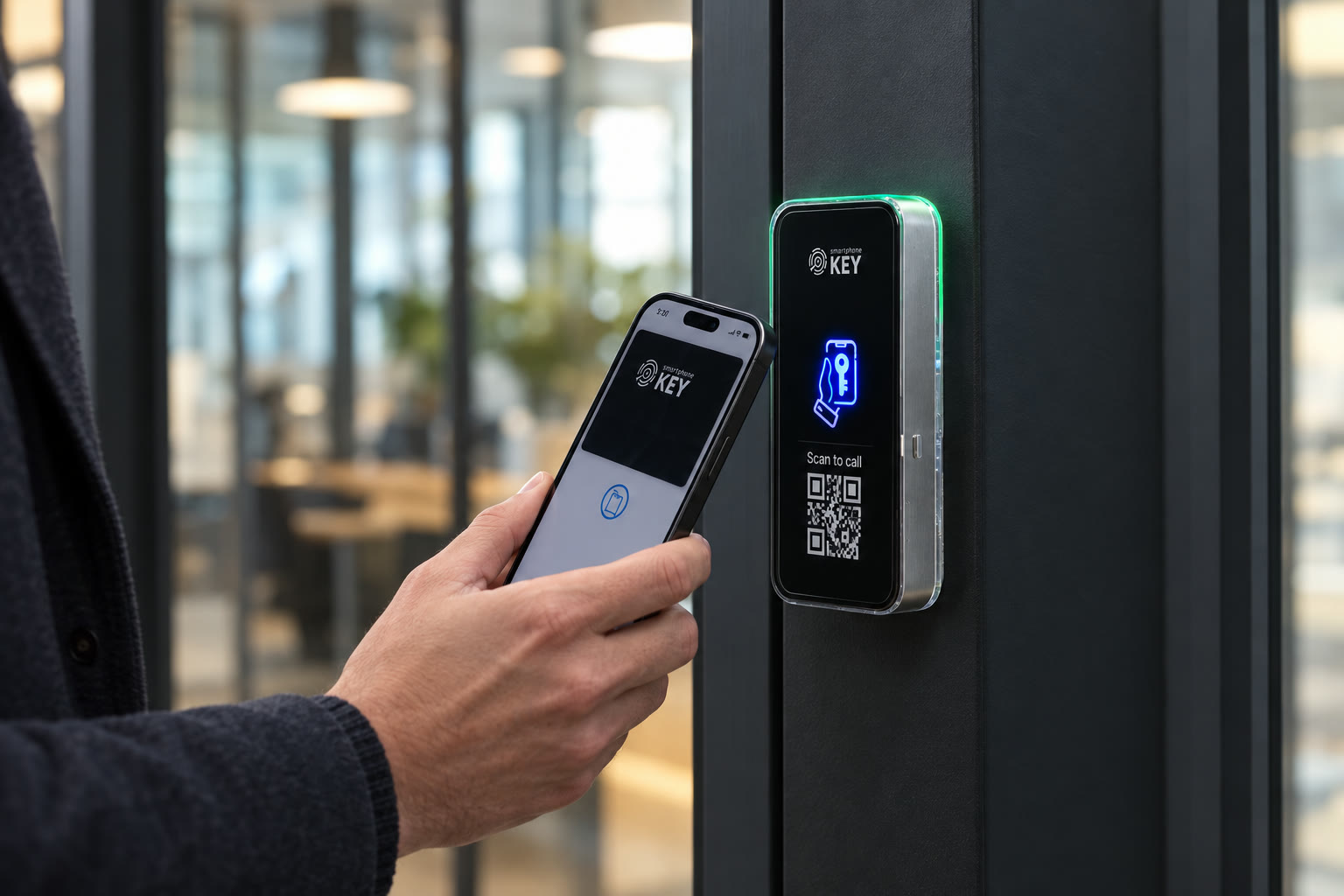
How the entrance works · Toronto & GTA
A credential is checked. A suitable lock is released.
Separate the user interaction, the physical release and the administration behind it. Understanding those parts makes the installation conversation much more concrete.
Assessment and handover planning
Describe what the entrance needs to do.
The responsible person should leave knowing how to manage access and explain the actual entrance arrangement to others.
Identify the responsible contacts
Include approval, electrical access and ongoing administration.
Review the proposed sequence
Discuss retained equipment, installation access and interruption.
Confirm acceptance scenarios
Agree how first entry and revocation are demonstrated.
In short
What happens between a phone tap and an opening door?
Follow the parts without assuming they are interchangeable
The reader recognizes the authorized credential and its relay controls suitable electric locking hardware. The installed door then needs to open, close and release as intended for that property. The portal handles permission management; it is not a substitute for the physical lock, power supply or a working administration process.
Example, not a completed project
Two problems can look like the same failed entry.
Imagine an authorized demonstration in which one person presents a credential that has not been assigned to the intended opening. In a separate scenario, permission is correct but the physical door does not release as expected. From the user's side, both can look like a phone that did not work. The assessor and administrator need to distinguish permission, presentation and the installed hardware before describing the outcome. Repeated taps do not establish which part failed. Keep the observed result with the relevant person responsible for checking it, and agree the practical assistance route for somebody waiting outside. These are explanatory scenarios, not diagnoses of a customer entrance or evidence that either fault occurred at an installation.
Observe the hardware and the permission separately
A useful handover follows both sides of the decision.
The person entering needs a repeatable arrival instruction. The person administering access needs a repeatable permission process. The installed opening has to support those tasks without relying on an unexplained demonstration by someone else's phone.
Follow the physical opening
- Begin with the agreed entrance, rather than a similar door elsewhere in the property. The installer should identify the installed reader and release and explain which existing components remain. That keeps an equipment demonstration tied to the scope the property actually accepted.
- Have the intended user follow the credential presentation instructions with an authorized test arrangement. Observe the release and normal use of the door. A recorded permission event and a physical opening answer different questions, so neither should silently substitute for the other.
- Include the return to the intended closed condition and the occupant's ordinary exit in the appropriate site checks. Questions about the actual hardware or exit arrangement belong with the responsible assessor. This page does not provide a universal electrical setting or a compliance verdict for an unseen opening.
- Ask the installer to explain the agreed response to an unavailable component and the assistance route for users. A phone problem, loss of electrical supply and an unavailable network are different conditions. Confirm the proposed configuration's behavior rather than inventing a single offline promise for all of them.
Follow the permission lifecycle
- Identify who can authorize a credential and who performs the portal change. Explain which openings the new permission includes and why. The availability of a management interface does not determine which employee, resident or visitor has a legitimate reason to reach a particular room.
- Work through a limited visit with its actual purpose and expected window. Confirm the proposed guest settings and what the administrator changes if that arrangement moves. A useful test distinguishes a planned permission from the visitor-call route used by an arrival without a continuing credential.
- Review a withdrawal with the responsible manager using an approved demonstration. Someone must communicate a departure or cancelled visit before access can be changed appropriately. Disabling a separate workplace, membership or booking account is not confirmed to perform that change automatically.
- Leave the future administrator able to explain the routine without the installer operating every control. Record the agreed configuration, contact responsibilities and open questions. If a capability or failure case could not be demonstrated, retain that limit instead of describing the entire system as proven.
A practical walkthrough
Test permission changes as well as the first tap.
A complete demonstration should include the person maintaining access, rather than only the person walking through the entrance.
01Establish the door arrangement
Identify the existing latch and powered hardware, if any, and the route for low-voltage power and control wiring. SmartphoneKey can operate suitable electric locking equipment. It does not establish a universal conversion for every conventional keyed opening.
02Choose and explain a credential
For regular entry, discuss the documented Wallet or NFC-card options. Show the user where and how the credential is presented. Agree the alternative entry arrangement instead of relying on a phone that may be missing or out of charge.
03Practise administration
Have the responsible manager add permission, review the authorized doors and remove a credential. For a visitor, review the intended window and use limit. Test the actual routine the property will maintain after the installer leaves.
The credential, relay and portal descriptions follow SmartphoneKey product and operating materials. The walkthrough is a way to organize questions about an assessed installation, not a wiring specification or a promise that an unknown lock can be retained.


A connected chain of parts
Trace the opening before choosing the configuration.
Ask the assessor to identify the physical lock and release, reader location, appropriate supply and connection route. Include the way the door closes and the way occupants leave. Those observations belong to the particular entrance; they cannot be established from a successful product-video demonstration. The proposed scope should name retained and new equipment so the person receiving the handover knows which components are actually being installed. Do not treat an unfamiliar reader light or an existing fob as a diagnosis of the lock behind it.
Is it the right fit?
Can the property repeat the intended routine?
A workable handover is possible
- The opening can be assessed before the configuration is chosen.
- Users can receive instructions for their credential.
- An administrator will maintain changes to permission.
Clarify the requirement first
- You expect a phone app to replace physical lock conversion work.
- You require proof of an integration absent from the supplied documentation.
Evidence at each stage
What has the demonstration actually established?
Separate a documented capability, the installed configuration and an observed result. Write down an unanswered question rather than extending one successful action into a claim about every user or failure condition.
Where does the door assessment fit?
Before equipment and scope are finalized. It establishes the opening, current lock, available power, cable route, connection and exit considerations. A product video illustrates a system; it cannot inspect those conditions for your property.
How are keys issued and withdrawn?
The supplied materials describe a browser administration portal for people, locks and credentials. Confirm the proposed package and management steps at handover. Someone must still know when a permission should change.
Does a visitor follow the same process as a regular user?
Not necessarily. An issued guest credential has a planned permission, while a person without one may use QR calling to reach a recipient. Explain both paths and decide what happens if the recipient is unavailable.
Is operation during an outage guaranteed?
No blanket guarantee is established. Power, connection and device failures affect different parts. Ask which operations remain available in the proposed configuration and agree actual fallback entry and safe exit.
What should be demonstrated before accepting the work?
Review ordinary entry, the intended visitor path, withdrawing access and the agreed fallback. Also ask about ongoing costs and responsibilities. One successful tap by the installer does not prove that everyone can manage the arrangement afterward.
Does an access event prove that the door physically opened?
Keep the records and the physical observation distinct. A portal entry can describe an access interaction, while an installed-door check establishes what the opening actually did in that observed situation. Neither is a complete account of every person entering or remaining on the premises. For a failed handover scenario, record which part was observed and who will investigate the unresolved part rather than announcing a successful installation from a log alone.
Should we use the installer's credential for everyday operation?
The future operating arrangement should be assigned to the appropriate property users and administrators, rather than depend on borrowing a demonstration credential. Agree how initial access is issued, who maintains it and what happens to any temporary setup permission when the work is complete. A test by the installer can help explain the interaction, but the intended users need instructions and a supported credential or alternative of their own.
What information should remain after the walkthrough?
Keep the accepted opening and equipment scope, the credential and administration instructions, responsibility for the connection, continuing charges and the assistance contact. Record any scenario that was not tested or requirement that still needs confirmation. The next person managing the property should be able to identify what was agreed without relying on a product video, somebody else's phone or an undocumented assumption about an external software integration.
Next step
Ask for a handover you can repeat.
The responsible person should leave knowing how to manage access and explain the actual entrance arrangement to others.
Request a door checkLeave with instructions and clear limits
Ask the proposal and handover to identify the installed opening, hardware, connection and credential arrangement together with administration and ongoing charges. Separate the capability named in a product document from the configuration supplied and the behavior actually observed. Include unresolved equipment, integration or fallback questions in the record so they are answered by the responsible party rather than disappearing behind a successful first tap.
For a Toronto or GTA assessment, arrange access to the actual opening and the people able to approve and explain it. Work timing and the handover exercise depend on the inspected scope. This preview neither reserves an installation date nor establishes acceptance of equipment that has not been assessed.